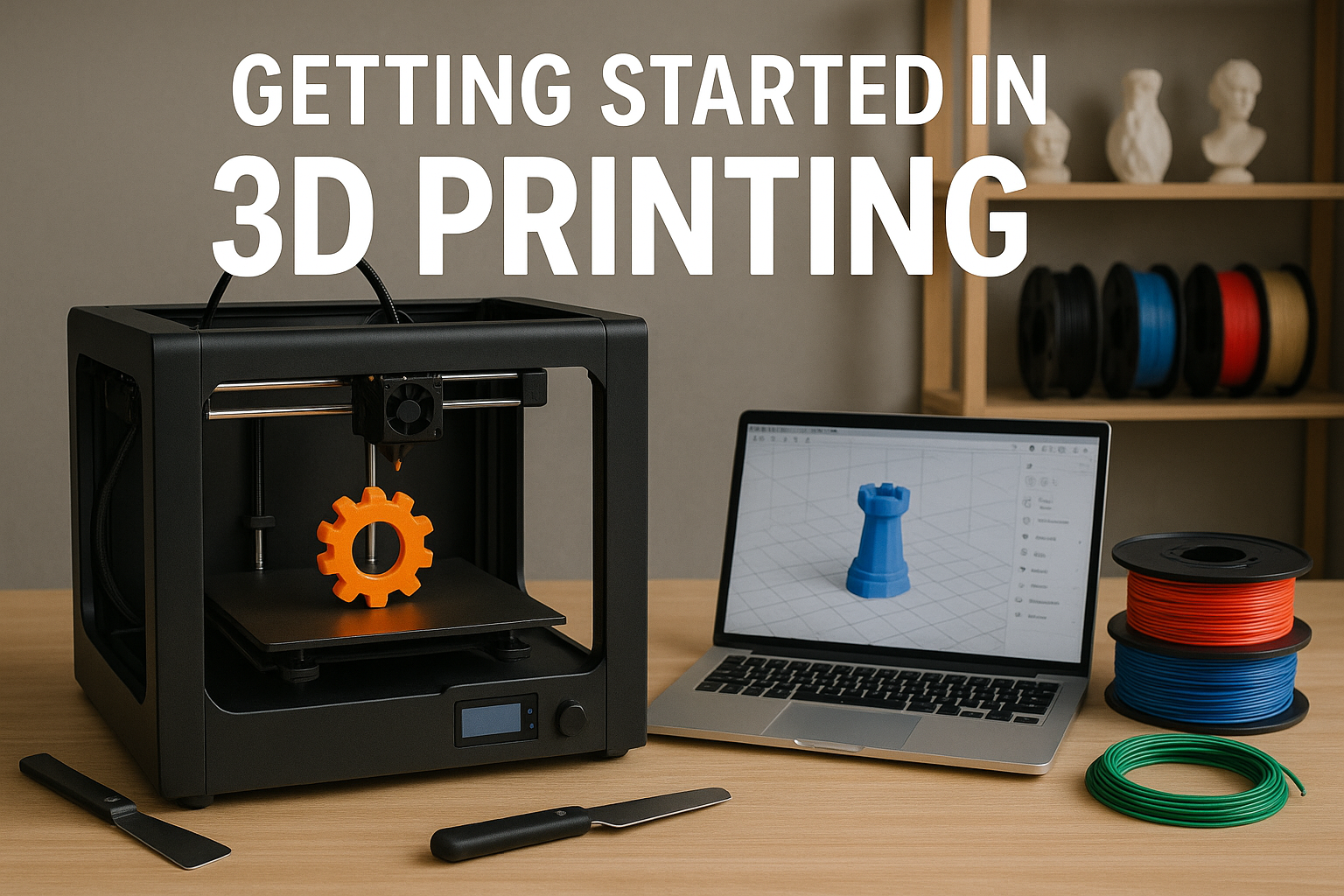
Getting Started with 3D Printing
A beginner-friendly path from understanding what 3D printing is to choosing a printer, setting it up, slicing your first model, and knowing what to learn next.
Start simple
Use PLA, basic settings, and beginner models first.
Watch the first layer
Most early print problems show up in the first few minutes.
Change one thing
Calibrate gradually so you know what actually helped.
Part 1
Introduction to 3D Printing
Before buying upgrades or chasing advanced settings, get comfortable with the core idea: a printer builds an object one layer at a time from a digital model.
3D printing, also called additive manufacturing, creates physical objects by building them layer by layer from a digital model. Instead of cutting material away like CNC machining, a printer deposits or solidifies material in precise patterns until the object is complete.
The most common beginner-friendly printer type is FDM, which melts plastic filament and lays it down in layers. Resin printers can produce finer detail, but they are messier and require more safety steps. Industrial powder-based printers exist too, but most hobbyists will not start there.
- FDM: practical, affordable, and best for most beginners.
- Resin: high detail, more cleanup, and stronger ventilation needs.
- SLS: industrial powder printing, usually outside the beginner budget.
3D printing becomes useful quickly once you stop thinking only about toys and start looking for small problems around the house, shop, classroom, or workspace.
- Prototype parts
- Functional tools and fixtures
- Replacement parts
- Miniatures and organizers
- Educational models
These are the words you will see everywhere once you start reading tutorials, slicer settings, and printer manuals.
- Filament: plastic material such as PLA, PETG, ABS, or TPU.
- Hotend: the part that melts filament.
- Bed: the surface your print sticks to.
- Layer height: the thickness of each printed layer.
- Slicer: software that turns a 3D model into printer instructions called G-code.
Part 2
Choosing Your First Printer
Your first printer should help you learn, not bury you in avoidable problems. Choose reliability and support over flashy specs.
For most beginners, the $300-$600 range is the sweet spot. You can spend less, but you may trade money for tinkering. You can spend more, but you do not need a high-end machine to learn the fundamentals.
- $200-$400: entry-level machines with solid performance.
- $400-$800: better reliability, faster printing, and fewer adjustments.
- $800+: premium machines that are closer to plug-and-play.
Do not over-optimize specs at the beginning. Reliability, documentation, and community support matter more than headline speed.
- Auto bed leveling.
- Direct drive extruder if you want flexibility later.
- Open or enclosed frame depending on the materials you plan to print.
- Strong community support for troubleshooting.
Look for printers with proven performance and active user communities.
- Bambu Lab P1S
- Creality Ender 3 V3 KE
- Prusa Mini+
Buy from places that make returns, support, and replacement parts simple.
- Manufacturer websites for the best support and warranty path.
- Amazon for fast shipping and easy returns.
- Specialty retailers for more knowledgeable help.
- Avoid unknown brands with poor documentation or no community.
Part 3
Setting Up Your Printer
Good setup gives you a better chance at a successful first print. Assembly, calibration, and bed leveling are where patience pays off.
Most printers require at least light assembly. Take your time here because small alignment mistakes can become frustrating print problems later.
- Align the frame.
- Attach the gantry.
- Connect cables carefully.
- Check that nothing is loose before powering on.
Calibration directly affects print quality. Do the first checks slowly and only change one thing at a time.
- Set correct voltage if your printer requires it.
- Check belt tension.
- Verify smooth axis movement.
- Run the printer's built-in setup routine.
Bed leveling makes sure the nozzle is the correct distance from the print surface. Your goal is a consistent first layer across the entire bed.
- Manual leveling uses bed screws.
- Auto leveling uses a probe-based system.
- A good first layer solves many beginner print problems.
Start with a simple calibration cube, test line, or beginner model. Watch the first few minutes instead of walking away.
- Look for adhesion issues.
- Watch for uneven lines.
- Stop the print if the nozzle is dragging.
- Do not chase perfection on the first attempt.
Part 4
Your First Print
The first print is about learning the workflow, not proving the machine is perfect. Pick something simple, slice it with conservative settings, and watch the first layer.
Use trusted model libraries and search for simple prints labeled beginner, no supports, or easy print.
- Printables
- Thingiverse
- MakerWorld
A slicer converts a model into instructions your printer understands. The basic workflow is import, position, choose your printer profile, slice, then export or send the file.
- OrcaSlicer
- Bambu Studio
- PrusaSlicer
Start simple and avoid changing too many settings early.
- Layer height: 0.2 mm.
- Infill: 10-20%.
- Supports: off if possible.
- Material: PLA.
Most failures happen in the first few minutes, so the first layer is worth your full attention.
- Load filament.
- Heat the printer.
- Start the print.
- Monitor the first layer.
- Let it run once it looks stable.
After the first prints
What to Learn Next
Long-term progress comes from a steady loop: print, fix, calibrate, and repeat. Avoid jumping ahead too fast; most success comes from mastering fundamentals before adding complexity.
- Learn to diagnose print issues such as poor bed adhesion, stringing, layer shifts, and under or over extrusion.
- Calibrate one thing at a time: flow rate, temperature, retraction, and pressure or linear advance.
- Learn materials beyond PLA, including PETG, ABS, and TPU.
- Improve bed adhesion with a clean bed, correct first-layer height, and brims when needed.
- Understand supports and part orientation before trying complex models.
- Try basic CAD edits such as resizing models, adding holes, and combining simple parts.
- Keep filament dry, save slicer profiles, track successful settings, and organize your model files.
- Do regular maintenance: clean the nozzle, tighten belts, lubricate rods or rails, and inspect wiring.
- Upgrade only when you understand the problem the upgrade is supposed to solve.
- Join communities, local makerspaces, and manufacturer groups so you can learn from existing knowledge.
- Start printing functional parts like tool holders, brackets, replacement parts, and shop organizers.
- Scale up later with remote monitoring, automation, or multiple printers once your process is consistent.
Next: learn materials
PLA, PETG, TPU, and ABS all behave differently. Start here before buying a shelf full of rolls.
Understanding FilamentsThen: slice a model
Learn the settings that affect strength, speed, supports, and whether the first layer behaves.
Slicer SettingsFinally: pick a print
Use Print Tuesday when you want a practical model to test the workflow on a real project.
Find a First Print